Complete forms with clients.
Right in the room.
Turn any PDF into a fillable, signable form — without printing, scanning, or an internet connection. Collect client information and signatures right in the room, on your device.
How it works
From PDF to signed in minutes
No setup. No account. Just import, configure, and sign.
Import your PDF
Import any PDF from your Files app, email, or cloud storage — no account or sign-up required.
Place your fields
Drag signature, text, date, checkbox, and dropdown fields onto the page — exactly where you need them.
Fill in and sign with your client
Hand your phone or iPad to the client. They fill in their details and sign on screen — you save the completed PDF.
Any PDF becomes a fillable, signable form
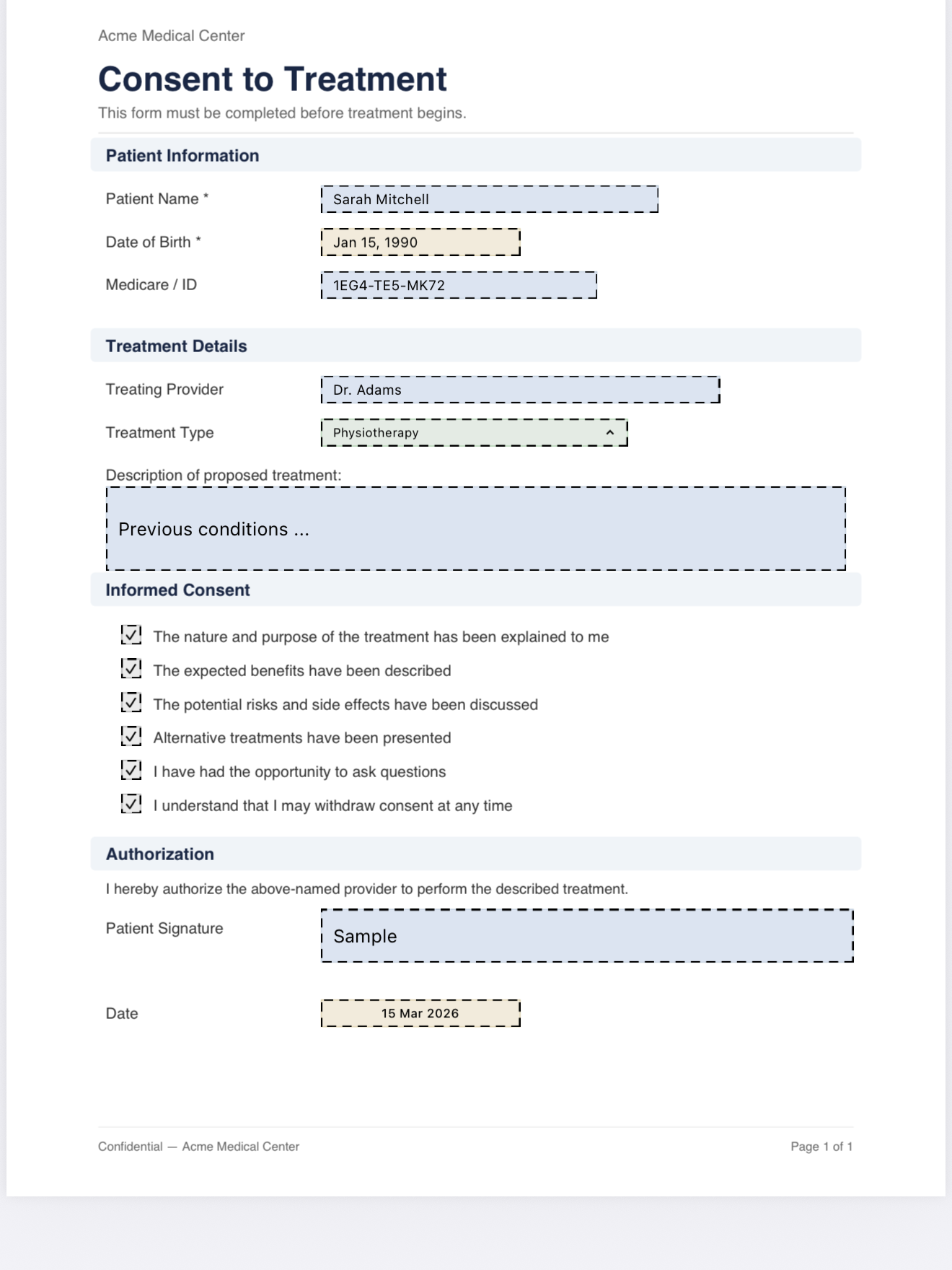
Import any PDF and configure it once as a reusable template. Your fields are saved and ready to go — use the same form for every client without any repeat setup.
- Signature, initials, text, date & choice fields
- Fields placed visually on the actual PDF
- Reuse templates across unlimited clients

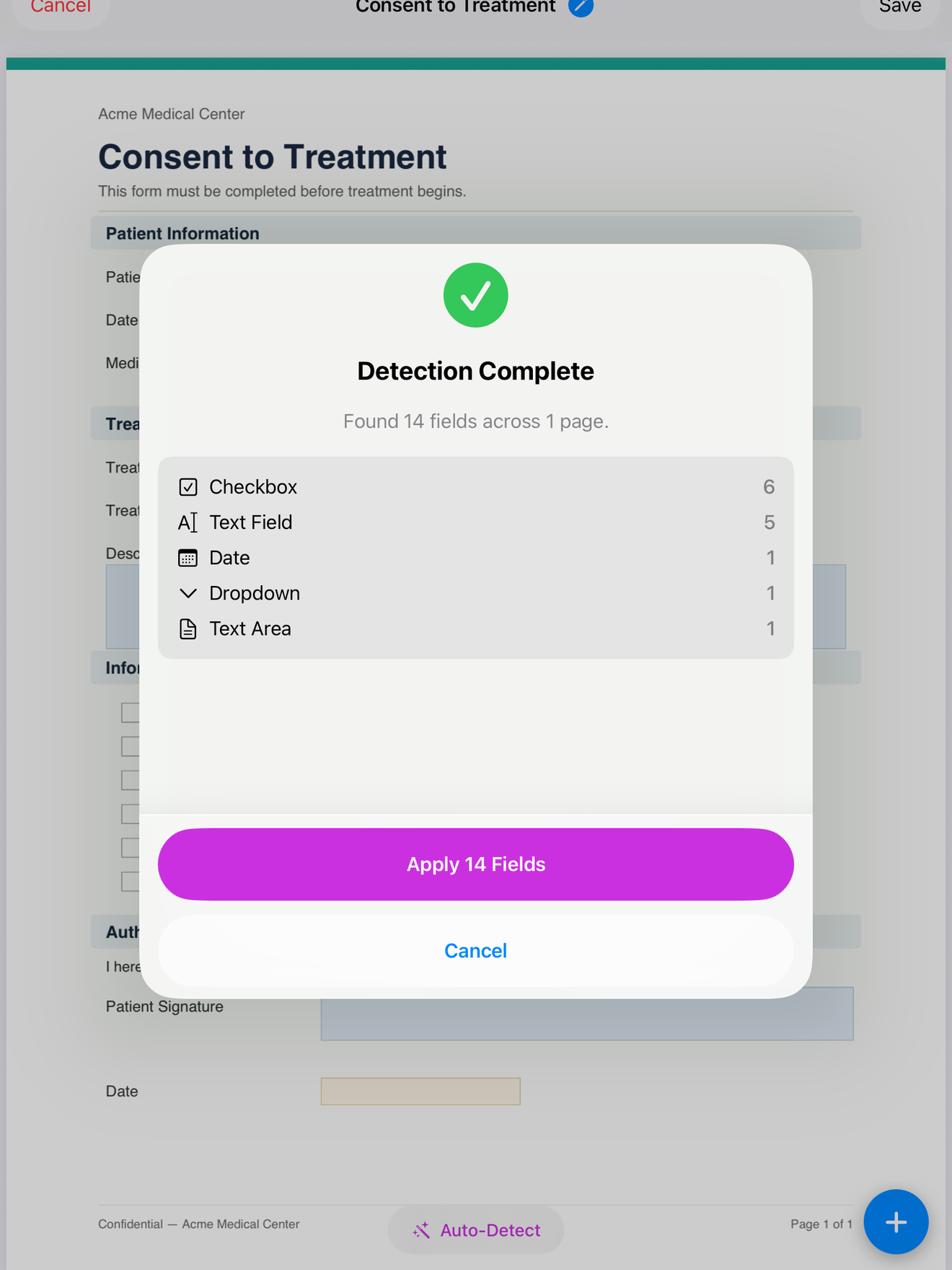
PDF has fields already? We'll convert them automatically
If your PDF was built with embedded form fields in Acrobat, Word, or any other tool, tap Detect Fields and InPersonForms converts them in seconds — text inputs, checkboxes, radio buttons, dropdowns, and signature blocks all mapped and placed exactly where they appear. Plain PDFs with checkbox symbols or underlines are picked up too.
- Converts embedded PDF form widgets from Acrobat, Word, and more
- Detects checkbox and radio symbols in non-interactive PDFs
- Review all detected fields before confirming — always in control
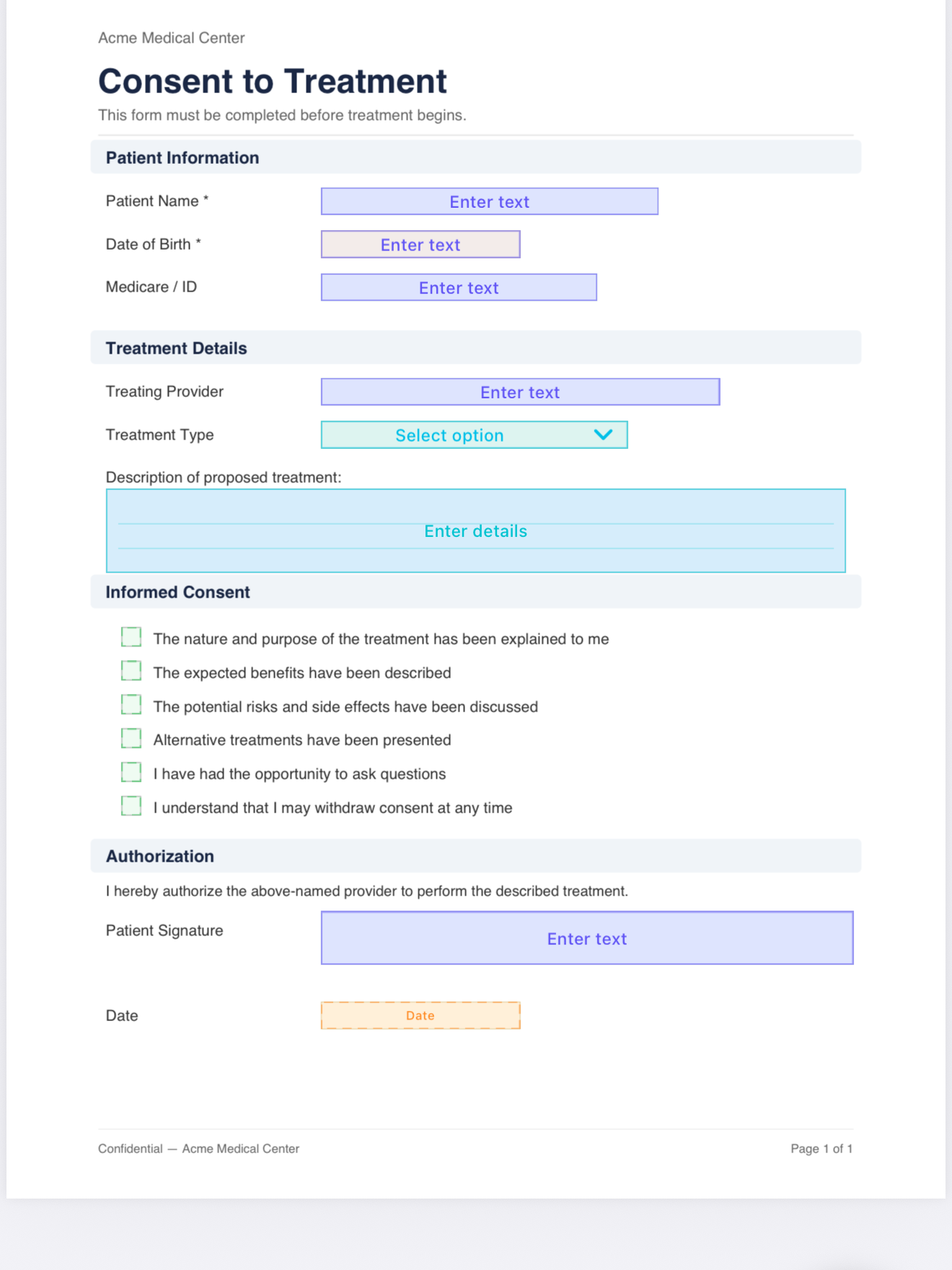
Every field type a form needs
Add text fields, date pickers, checkboxes, radio buttons, and multi-select dropdowns anywhere on the page. Mark fields as mandatory so nothing is left blank before the form can be completed.
- Text, textarea, date, checkbox, radio & dropdown
- Auto-fill today's date and client info
- Mandatory field validation before saving
Real signatures, drawn on screen
When it's time to sign, hand the device to your client. They draw using Apple Pencil or a finger — smooth and natural on any iPad or iPhone. The signature is permanently embedded in the exported PDF.
- Smooth, natural drawing with PencilKit
- Signature & initials field types
- Embedded permanently in exported PDF

All your clients in one place
Store every client's details and build rich profiles with a custom profile template. Contact info and profile answers auto-fill into form fields — and every completed form is stored in their history.
- Name, email & phone stored per client
- Custom profile template with auto-fill into any form
- Full completed form history per client

Every submission tracked and versioned
Every signed form is stored as a tamper-evident record. Need a client to re-sign or update their information? Create a new version — the original stays intact, and you get a complete audit trail.
- Full version history per form submission
- Create new versions pre-filled from previous data
- Tamper-evident hash on every signed PDF
Find any record in seconds
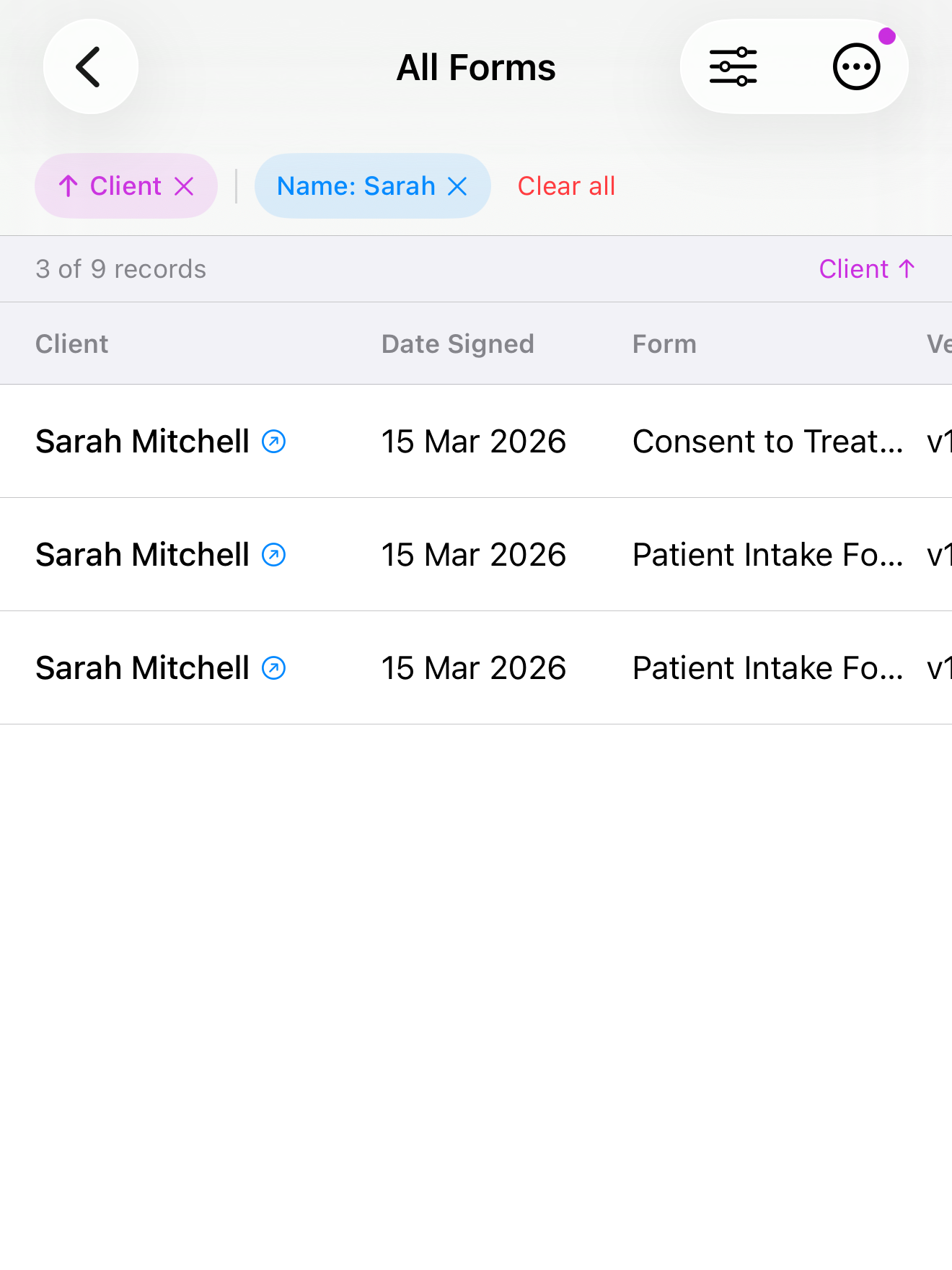
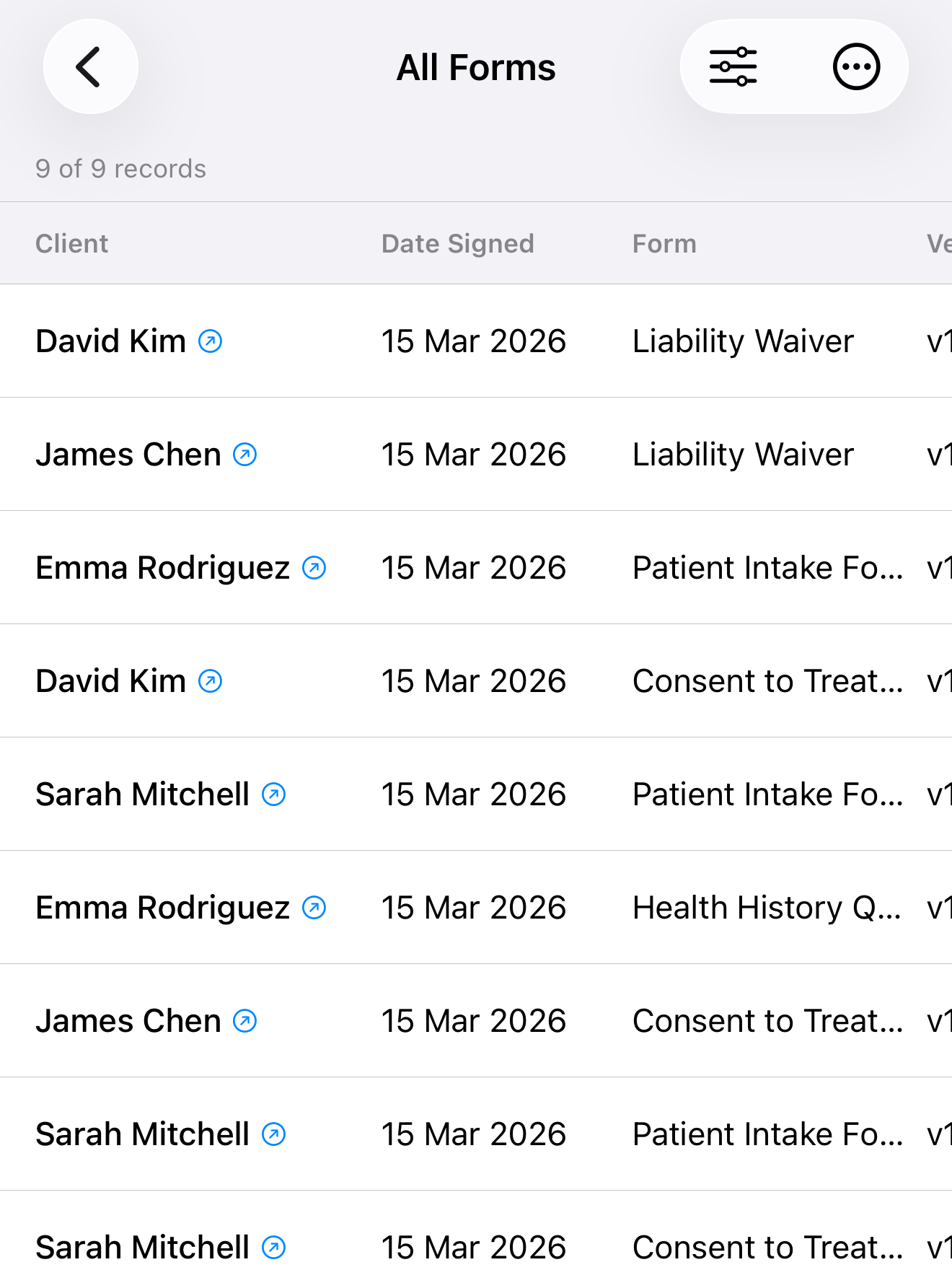
As your practice grows, so does your data. Sort records by date, client, or template. Search by client name. Filter by template, client, or even answers from client profiles.
- Sort by date signed, client name, or template
- Search records by client name
- Filter by template, client & profile field answers
Who it's for
Built for in-person professionals
If you collect client information or signatures face-to-face, InPersonForms is for you.
Healthcare & Allied Health
Digitise patient intake forms, health history questionnaires, and consent paperwork — all collected on your device at the point of care, without a single sheet of paper.
Therapy & Counselling
Intake questionnaires, informed consent, and session agreements — collected at the start of every appointment and stored per client.
Personal Training & Coaching
Liability waivers, health declarations, and program agreements — completed and signed in seconds, in person.
Trades & Field Service
Job completion reports, site inspection checklists, and customer sign-offs — collected offline, on the spot, wherever you're working.
Your data stays on your device
All client information, templates, and signed forms are stored locally on your device. No servers. No cloud sync. No third parties. Your clients' data never leaves your hands.
Pricing
Simple, one-time pricing
Start free. Pay once to unlock everything. No subscription, no recurring charges, ever.
Free
no credit card
- Unlimited clients
- Unlimited form submissions
- All field types included
- Full PDF export
- No time limit
- Up to 3 templates
Pro
one-time purchase
- Everything in Free, plus:
- Unlimited templates
- No watermark on forms & PDFs
- Client profiles & auto-fill
- Create & browse form versions
- Advanced sorting, search & filters
Pricing in USD. Local prices apply in App Store.
Why InPersonForms
Built for the room, not the inbox
Most form and e-signature tools are designed for remote workflows — send a link, wait for an email. InPersonForms is purpose-built for face-to-face form completion.
| InPersonForms | Cloud form tools | |
|---|---|---|
| Works fully offline | — | |
| No subscription required | — | |
| Data stays on your device | — | |
| No account or sign-up | — | |
| One-time purchase | — | |
| Built for in-person use | — | |
| PDF import & field detection | — | |
| Free tier available |
Cloud form tools typically cost US$10–99/month per user with annual subscriptions. InPersonForms Pro is a single payment of US$39.99.
Frequently Asked Questions
Can I use my existing PDF forms?
Yes. Import any PDF from your Files app, email, or cloud storage. If your PDF already has embedded form fields (from Acrobat, Word, or other tools), InPersonForms detects and converts them automatically. You can also place fields manually on any plain PDF.
Does it work without internet?
Yes, 100%. InPersonForms works entirely offline — no Wi-Fi, no cellular data, no cloud connection needed. Everything runs on your device. This makes it ideal for home visits, rural clinics, sports facilities, and anywhere with unreliable connectivity.
Where is my client data stored?
All data — client profiles, templates, and signed forms — is stored locally on your iPhone or iPad. Nothing is uploaded to any server. No cloud. No third parties. Your clients' information never leaves your device.
Is there really no subscription?
Really. The free tier includes 3 templates with no time limit. If you need more, the Pro upgrade is a single one-time payment of US$39.99 — no monthly fees, no annual renewal, no surprise charges. You buy it once and own it forever, including future updates.
How is this different from online e-signature tools?
Most e-signature services are designed for remote workflows — you send a link and wait for a response via email. InPersonForms is built specifically for face-to-face scenarios where you hand the device to the person sitting in front of you. It works fully offline, costs a one-time US$39.99 instead of a monthly subscription, and keeps all data on your device instead of uploading it to third-party servers.
How do clients sign — finger, Apple Pencil, or typed?
Clients draw their signature directly on screen using a finger or Apple Pencil. The signature is captured using Apple's PencilKit for a smooth, natural writing experience and is permanently embedded in the exported PDF.
Can I use it on both iPhone and iPad?
Yes. InPersonForms is a universal app that runs natively on both iPhone and iPad. A single purchase covers both devices. Requires iOS 26 or later.
How do I export or share completed forms?
Completed forms are exported as standard PDF files. You can share them via email, AirDrop, Messages, or save to your Files app or any cloud storage — whatever works for your workflow.
Can multiple staff share a device?
Yes. InPersonForms doesn't require individual user accounts. Multiple staff members can use the same device — just hand it to the client when it's time to fill in their details and sign.
What happens if I lose my device?
Your data is protected by your device's built-in security (Face ID, Touch ID, or passcode). Since nothing is stored in the cloud, there's no external account to compromise. We recommend regular backups through your device's standard backup process.
What's next
We're just getting started
InPersonForms is built to grow with your practice. Here's what's coming next.
AI Form Builder
Describe the form you need in plain language — a patient intake, a liability waiver, a site inspection checklist — and AI generates a ready-to-use PDF template with all the right fields, placed exactly where they should be.
- Describe your form in a few sentences and get a complete template
- AI places signature, text, date, checkbox & dropdown fields automatically
- Review and adjust before saving — you're always in control
- Skip the PDF design step entirely — go from idea to signable form in seconds
Data Export
Export collected field data as CSV for use in your own spreadsheets, practice management tools, or billing software.
Backup & Restore
Export all your data — templates, clients, and signed forms — as a single backup file. Restore on the same or a new device.
Insights & Reporting
See how many times each template has been signed, view answer distributions for choice fields, and track your practice activity over time.
Go paperless today.
Free to start with 3 templates. One-time purchase to unlock everything — no subscription, no recurring fees.
Download Free on App StoreRequires iOS 26 or later · iPhone & iPad